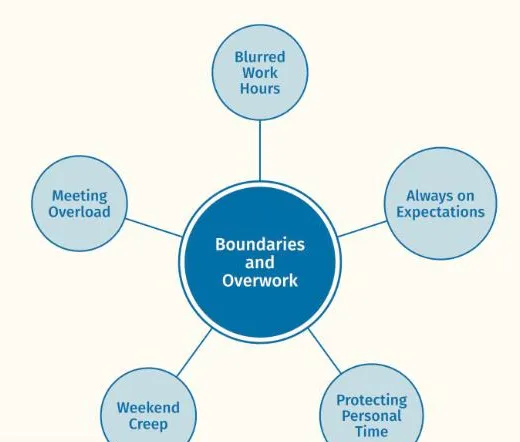
 ThesisOpen →Boundaries and OverworkReflexive thematic analysis · Node network, one themeA findings chapter, full text width · Working Well sample dataset
Colour palettes for your themes
Eight calm default colours, one per theme, or your own colours set in the spreadsheet to match your thesis or a journal.
Used in phase 6, writing up
Colour is meaning
A theme keeps its colour everywhere, and everything beneath it takes a lighter shade.
Colours that carry meaning
In Themescape colour belongs to the theme. Each theme gets one colour, its codes and sub-codes take lighter fills of it, and the theme keeps that colour in every view, so a reader can follow it from the network to the hierarchy to the file tree.
The eight default colours are drawn from water, in keeping with the reflective, continuous way reflexive thematic analysis works. When a figure needs to match a thesis style, a journal or an institution, you can set your own.
- Default paletteEight theme coloursDeep water, Sea grass, Dusk, Shallows, Storm, Coral, Glint and Current, assigned to themes in order.
- Your coloursSet in the Framework tabGive any theme a hex colour such as #0070A6 and it replaces the default for that theme.
- Lighter shadesWorked out for youCodes and sub-codes take lighter fills of their theme's colour automatically.
Setting your own colours
Theme colours are set in your spreadsheet.
Order
Themes take the default colours in the order set by the order column in Framework, or the order they first appear in Data.
More than eight themes
A ninth theme and beyond take lighter, then darker, shades of the palette's colours, with an outline where a shade is very pale. A project with many themes is often clearer split into separate views.
Theme rows only
Colours set on code or sub-code rows are ignored, because codes always follow their theme.
The Colours control
Colours, at the foot of the left sidebar, opens Colour settings. Choose Themescape water, the default, or one of four other palettes: Themescape harbour (colour blind safe), Themescape ember, Themescape clay and Themescape forest. You can also upload your own palette as a JSON or CSV file, or set any theme's colour under Manual colour settings, then click Save colour settings. Colours set by hand are written to the colour column of your Framework file when you save Your progress.
Accessibility
Colour is never the only cue: names sit inside every node, so a figure still reads in greyscale print.
Related features
The features you will use alongside colour palettes, closest first.
See your own themes come to life
Try the live demo or start a 7 day free trial. Your data is read in your browser and never leaves your computer.