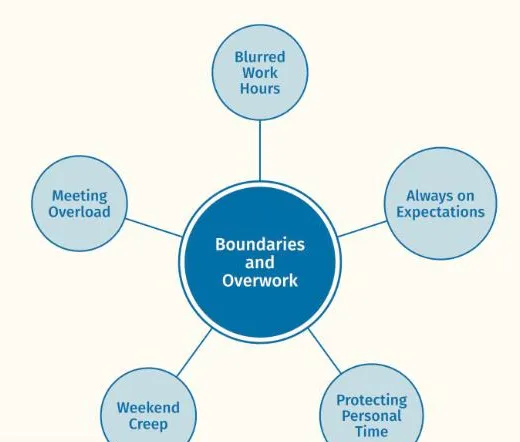
 ThesisOpen →Boundaries and OverworkReflexive thematic analysis · Node network, one themeA findings chapter, full text width · Working Well sample dataset
Figures made in Themescape
Finished thematic maps as they appear in a thesis, a journal article and a conference slide, with the view, the dataset and how each one was made.
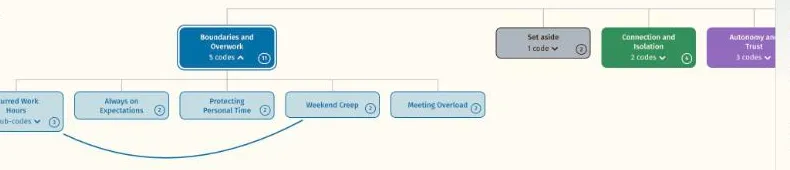
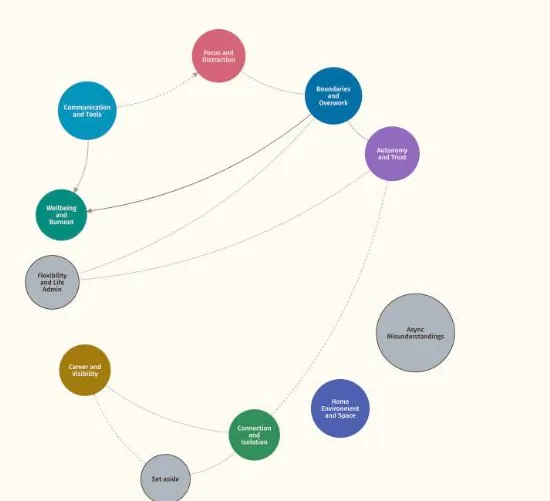
Using figures in your work
A thematic map earns its place in a thesis or paper when a reader can follow it without you in the room. Three habits make that easier.
- Write a caption that stands aloneName the view, the dataset and what the reader should notice. A good caption makes sense without the body text, and says which themes the figure covers.
- Add alt textDescribe the structure in words: the themes, how they are grouped and the connections between them, so a screen reader conveys the map and not just its title.
- Reference the softwareCite Themescape as software in your reference list, in the style your institution uses: Price, C. (2026). Themescape (Version 3.5) [Computer software]. Themescape. https://themescape.co.nz. Name the view and the date of the export in your methods.
Share your figure
If a map made in Themescape has gone into a thesis, an article or a talk, we would like to show it here with a note on how it was made. Figures are published only with your permission and with no participant details.
See your own themes come to life
Try the live demo or start a 7 day free trial. Your data is read in your browser and never leaves your computer.