Three views of the same data
Read one analysis as a node network, a hierarchy or a file tree, and switch between them as the question changes.
Load a coded spreadsheet or a project from NVivo, MAXQDA or ATLAS.ti, explore it in three views, refine your themes with their quotes and present the map. Nothing to install, and your data stays on your computer.
One screen holds the map, the detail for whatever you select and the tools for refining it. Hover a marker, or tap it, to see what each area does.
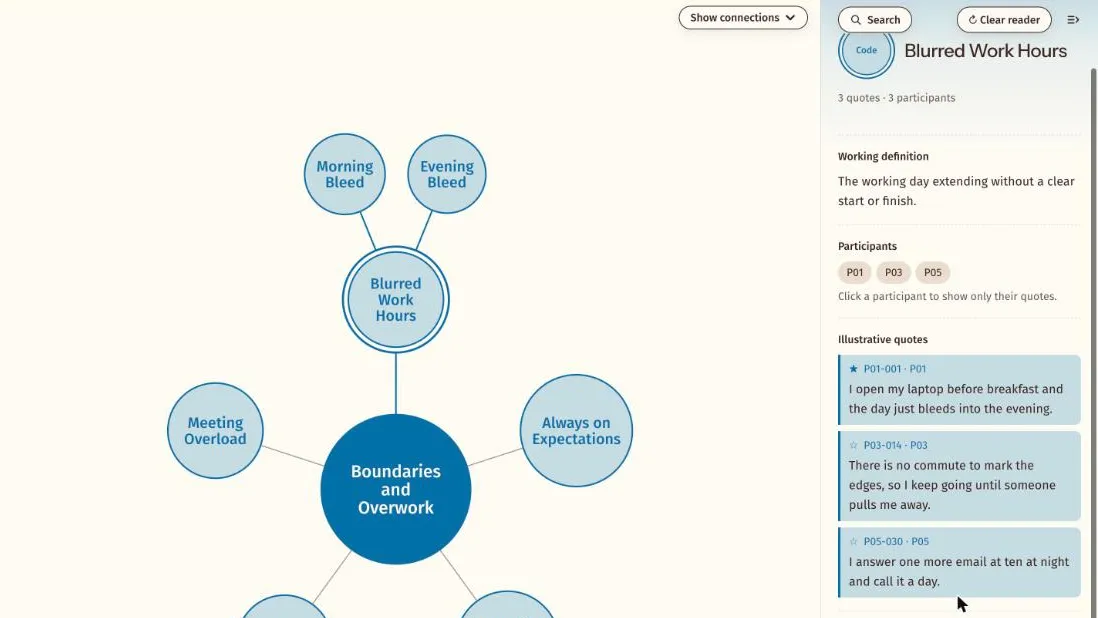
The five things researchers reach for most often. Each one has its own page with more detail.
Read one analysis as a node network, a hierarchy or a file tree, and switch between them as the question changes.
Select a theme or code to see its working definition, the participants behind it and its quotes.
Find codes, themes and quote text in one search.
Take your refined themes, definitions and chosen quotes back to your spreadsheet.
Refine definitions and quotes in Work mode, then hide the tools to present to a supervisor, a panel or a conference.
The same themes and codes shown as a node network, a hierarchy or a file tree. Each view has its own page.
Every feature page in one place, grouped by what you are doing: loading your data, exploring it, refining your themes and presenting them.
Themescape reads your data in the browser. The host never receives it.
Transcripts and quotes are read locally and never leave the machine.
No file submission or permanent storage is required.
Verbatim quotes are never altered, with a separate refined column for presentation wording.
The Google Sheets mode is opt in, for non-sensitive data only.
Short answers to what researchers ask most. The FAQ page has the rest.
No. Themescape displays and refines the coding you have already done. It does not create codes, suggest themes or connections, analyse your data or use AI. Every theme, code, definition and link on the map is yours.
Yes, if you use one. Themescape works alongside coding software such as NVivo, MAXQDA and ATLAS.ti and replaces none of it. Keep coding where you code, then bring the result in through the spreadsheet template or Import from your coding software, which changes nothing in your project.
No. Themescape runs in your web browser, so there is nothing to install. Open it, load your files and the map appears. Your files are read in the browser on your own computer.
No. When you load CSV files or import a project from your coding software, your browser reads them on your own computer and nothing is sent to Themescape. Transcripts and quotes are read locally and never leave the machine. No file submission or permanent storage is required. The one exception is a choice you make yourself, connecting a Google Sheet: The Google Sheets mode is opt in, for non-sensitive data only.
Try the live demo or start a 7 day free trial. Your data is read in your browser and never leaves your computer.